GnozAstro App Manual · 2/13
The wheel
The natal wheel is the app's central screen. Everything that follows starts from it.
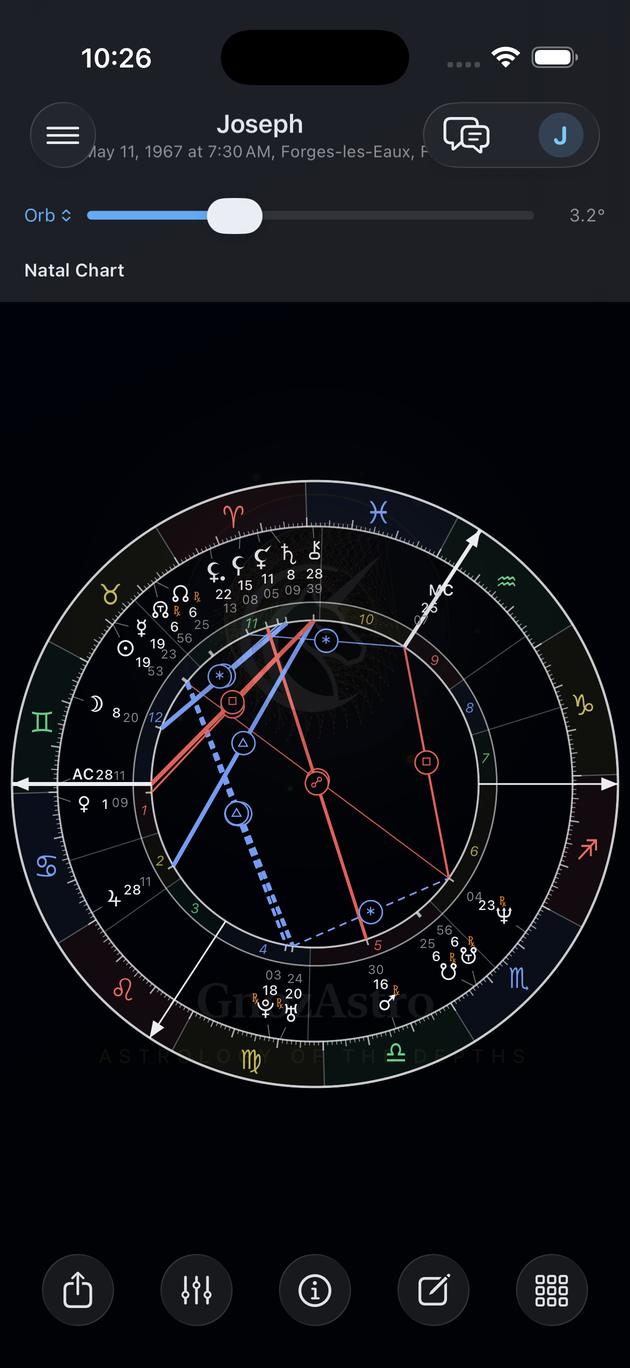
- Reading an element — Hold your finger on a planet, a house, a sign or an aspect chord: its card opens. A planet gives position, declination, retrograde motion, out-of-bounds state, sub-phase, placement sentence, Sabian Symbol, aspects, the Black Moons' interpretation and the Hercules rung. A chord gives the aspect's nature, its orb, the phase of its cycle, its energy and its shadow.
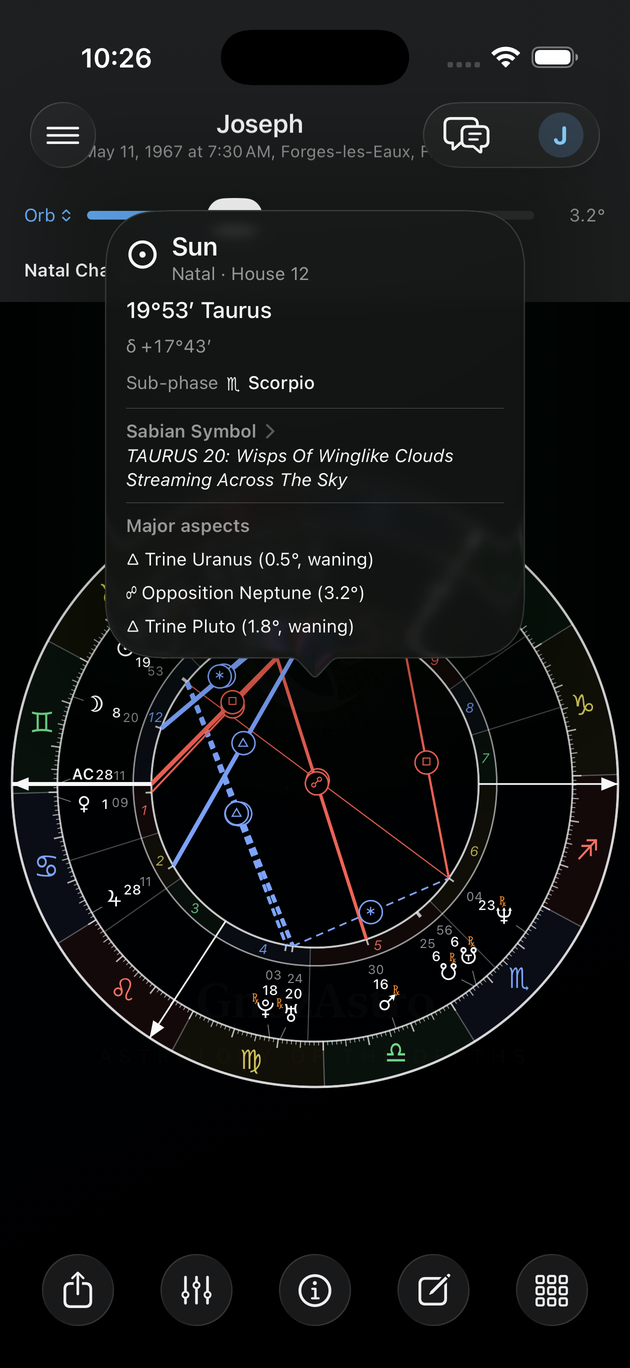
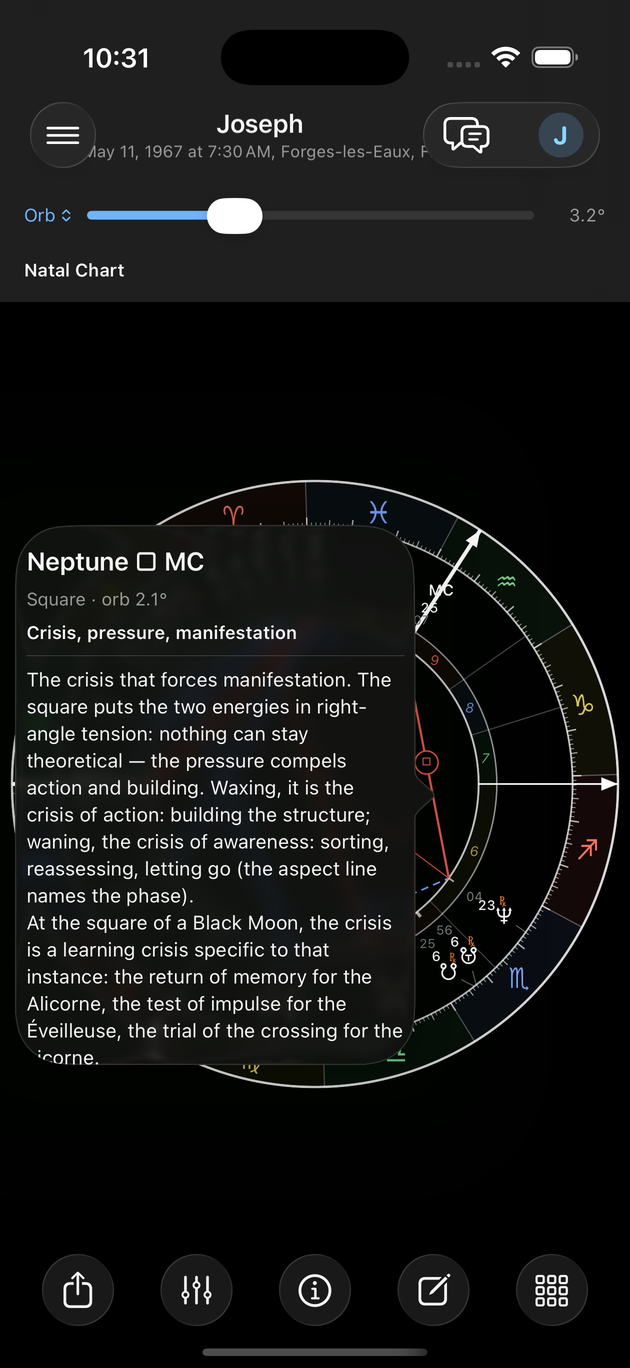
- Orb slider — The slider above the wheel sets how wide an orb still draws an aspect chord. It is a display setting: online interpretations keep the method's orbs. Tap Orb to switch to the named profiles — Rule, Flat, your own — and refine family by family.
- Phase chords — A solid line marks a waxing aspect, a dashed line a waning one — the Rudhyar and Ruperti hemicycles. Setting under Preferences → Chart drawing.
- Hidden chords (antiscia) — Turn on Antisces chords in Chart drawing: an amber chord joins the two bodies of a mirror contact — dashed for the antiscion (hidden conjunction), dash-dot for the contra-antiscion (hidden opposition). A strict 1° orb; a long press opens the mirror's card.
- Black Moon crosses — The Lilith Cross toggle in Chart drawing draws each Black Moon's four-armed cross — the anchor, the figure at 180°, the arms at 90° and 270° — each with its explanatory card.
- Glyphs — Still in Chart drawing, choose how the three Black Moons draw: the app's crescent triptych (the default) or the classic apogee glyphs.
Last updated —