GnozAstro App Manual · 4/13
RELATIONSHIPS
The Relationships fold of the drawer carries the three readings of the bond.
- Synastry — Choose Person B in the panel: their chart draws as a ring around yours, cross aspects at full orbs, their planets on your angles included. The Antisces layer toggle in the same panel adds your natal chart's mirror as the amber middle ring.
 Synastry — Choose Person B in the panel: their chart draws as a ring around yours, cross aspects at full orbs, their planets on your angles included. The Antisces layer toggle in the same panel adds your natal chart's mirror as the amber middle ring.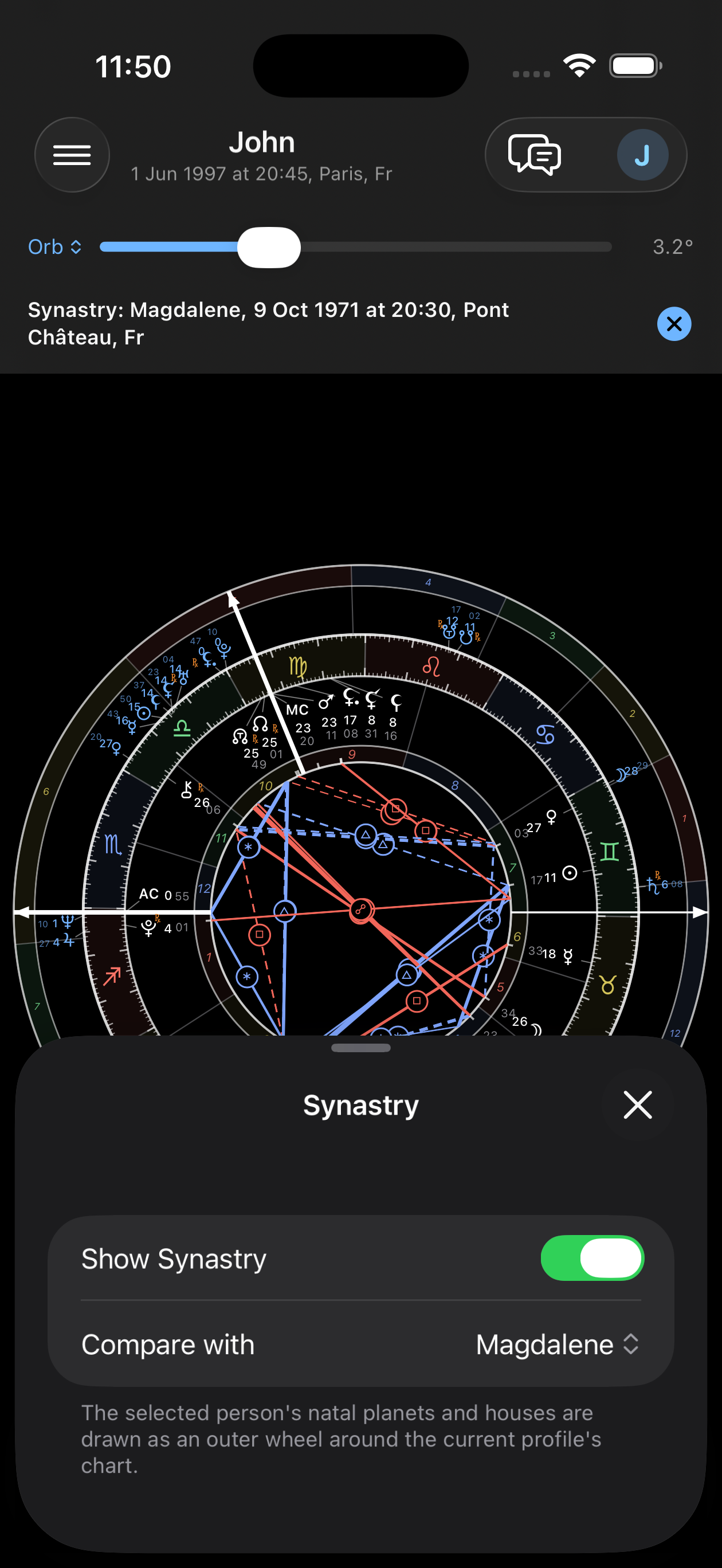
- Composite Chart — The midpoint composite: the psychology of the bond, the WHY. The panel picks Person B and the house location — the geographic midpoint by default.
 Composite Chart — The midpoint composite: the psychology of the bond, the WHY. The panel picks Person B and the house location — the geographic midpoint by default.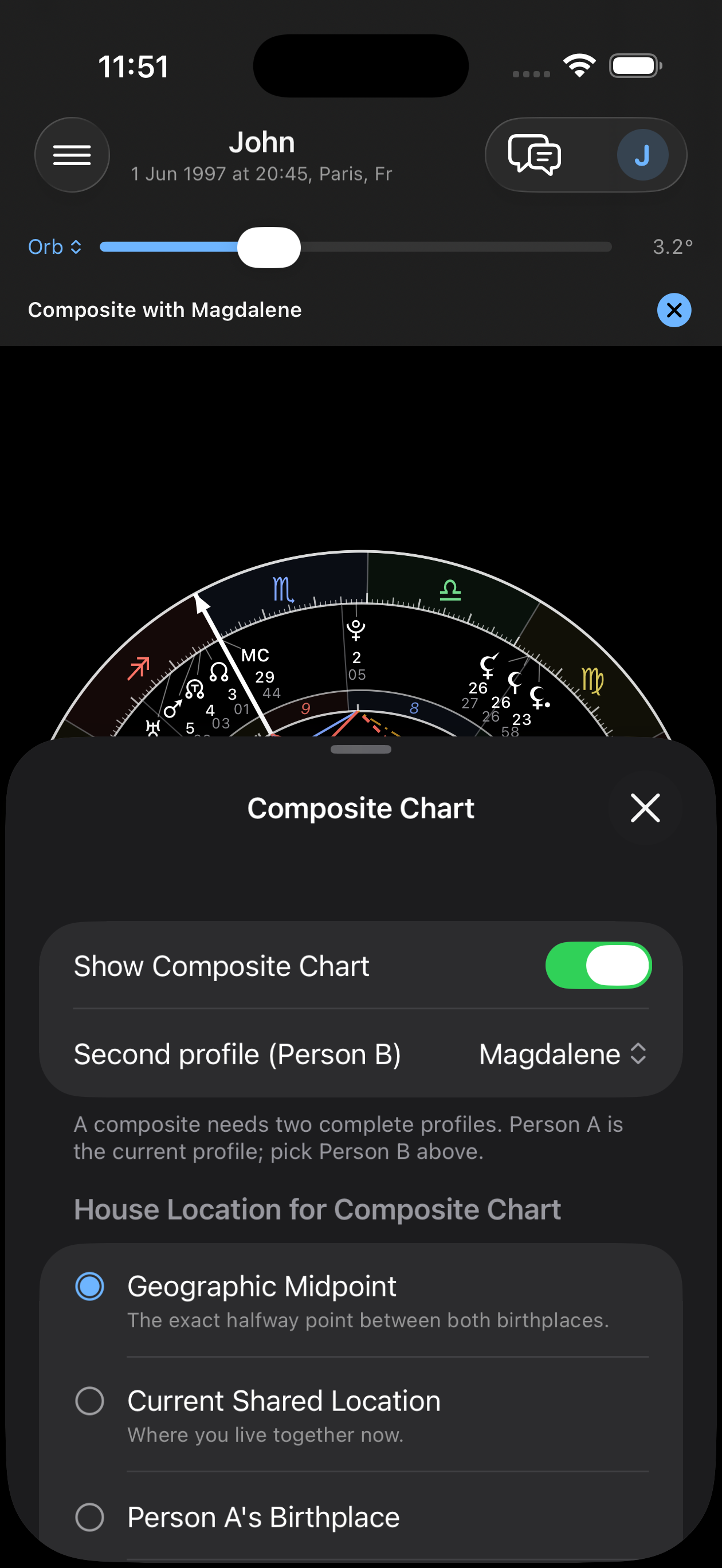
- Davison Chart — The real chart of the time-space midpoint of the two births: the birth chart of the bond, the WHEN. Because it is a real chart, Transits, Progressions and the triple wheel activate over it — the relationship has its own weather, and the time machine plays on the chart of the bond just as it does on a natal chart. The AI relationship readings cross that same weather. The composite carries the WHY, the Davison the WHEN.
 Davison Chart — The real chart of the time-space midpoint of the two births: the birth chart of the bond, the WHEN. Because it is a real chart, Transits, Progressions and the triple wheel activate over it — the relationship has its own weather, and the time machine plays on the chart of the bond just as it does on a natal chart. The AI relationship readings cross that same weather. The composite carries the WHY, the Davison the WHEN.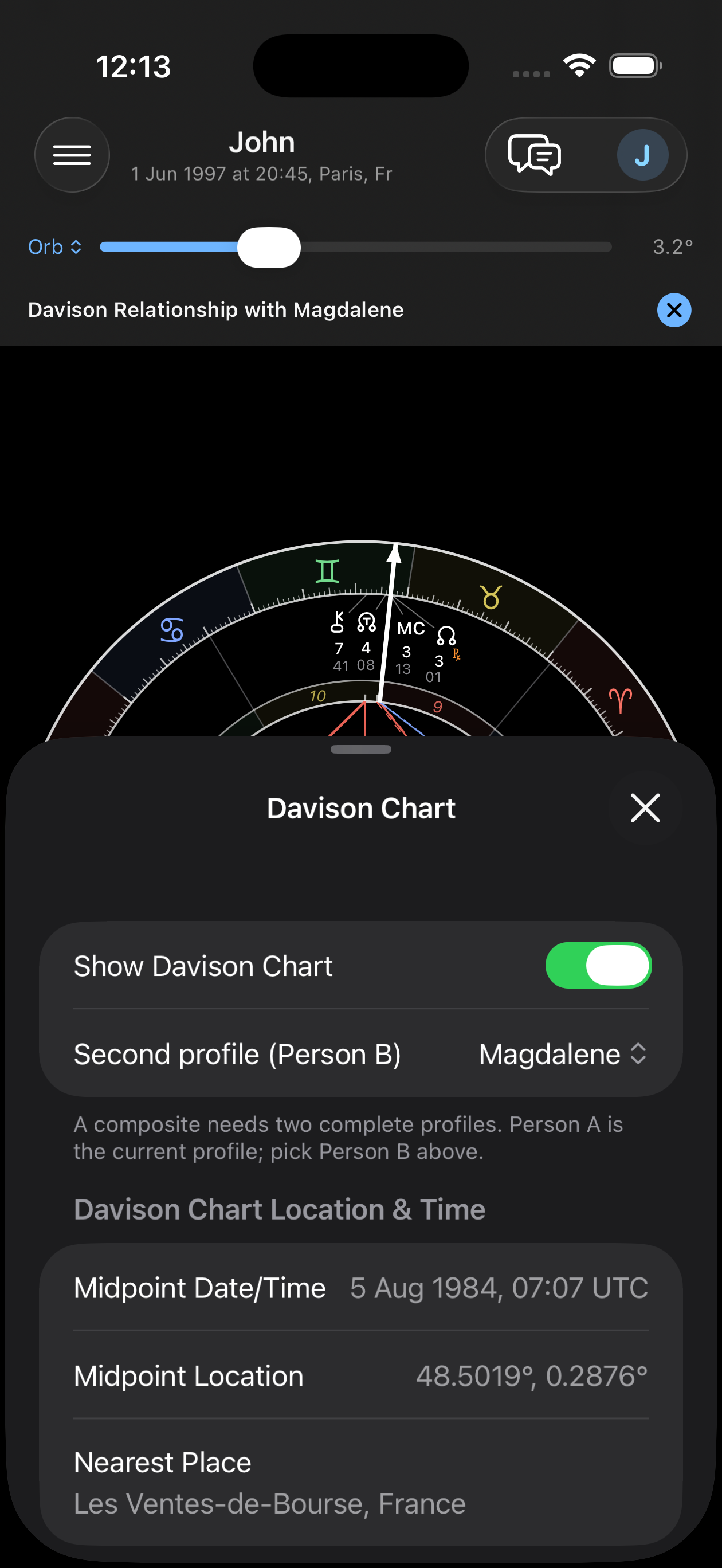
Last updated —