Manual · 1/15
Two registers, two doors
GnozAstro speaks two languages: the guided view — the vestibule, cards in plain words for anyone discovering astrology — and the full chart — the professional wheel, every tool, every point. At first launch, each person declares their register; switching stays instant, reversible and remembered.
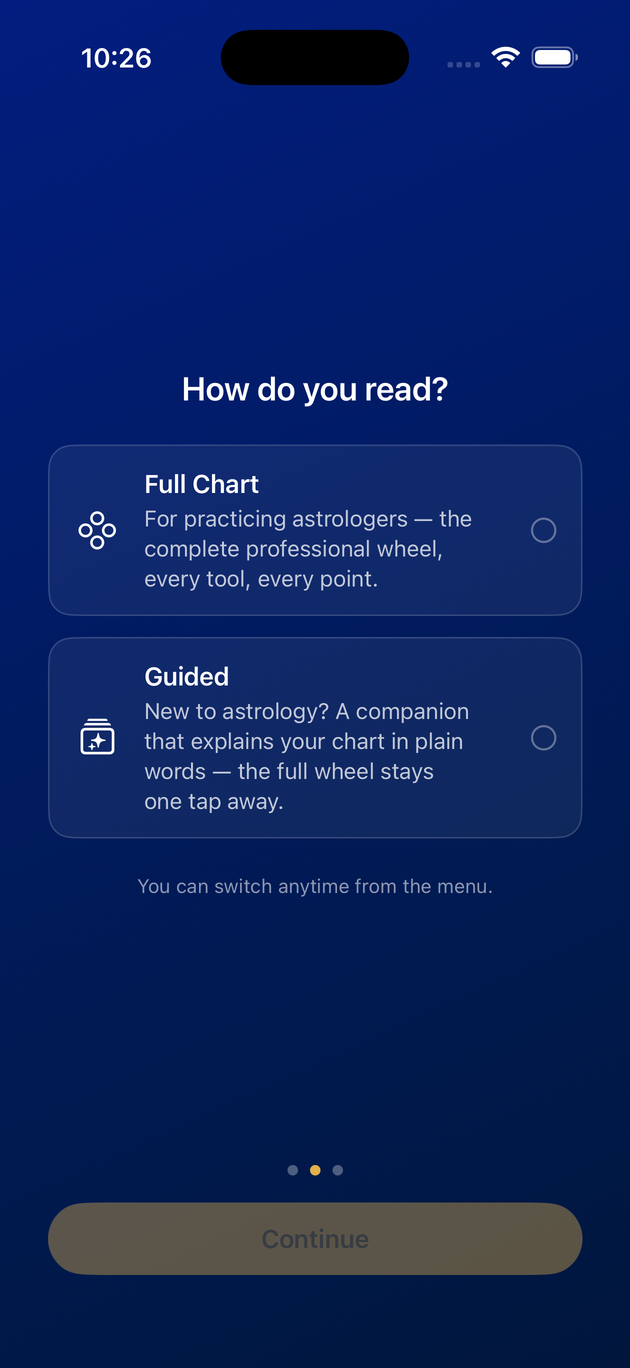
I'm discovering astrology — your first steps:
1. Choose the guided view at launch, then enter your birth — date, time, place. An unknown time is accepted.
2. The vestibule opens: read the chart's signature, then follow the chart tour in seven stops.
3. Tap an aspect card: the conversation opens with the question already written.
4. The professional wheel stays within reach: Full Zodiac view, at the top of the drawer.
I already practise — your first steps:
1. Choose the full chart at launch and enter your study — or import your files in AAF format.
2. Open the ☰ drawer and tap Transits: today's sky draws around the natal chart.
3. Compare two charts: Relationships → Synastry, choose Person B.
4. Export the wheel as a PDF from the share button; order a study under AI Reports; question the AI Chat from the conversation bubble.
To come back: from the full chart, the line Back to Guided view appears at the top of the drawer for anyone who came from the guided side — dismissable with a ✕ — and the permanent path lives in Help & About.
Last updated —